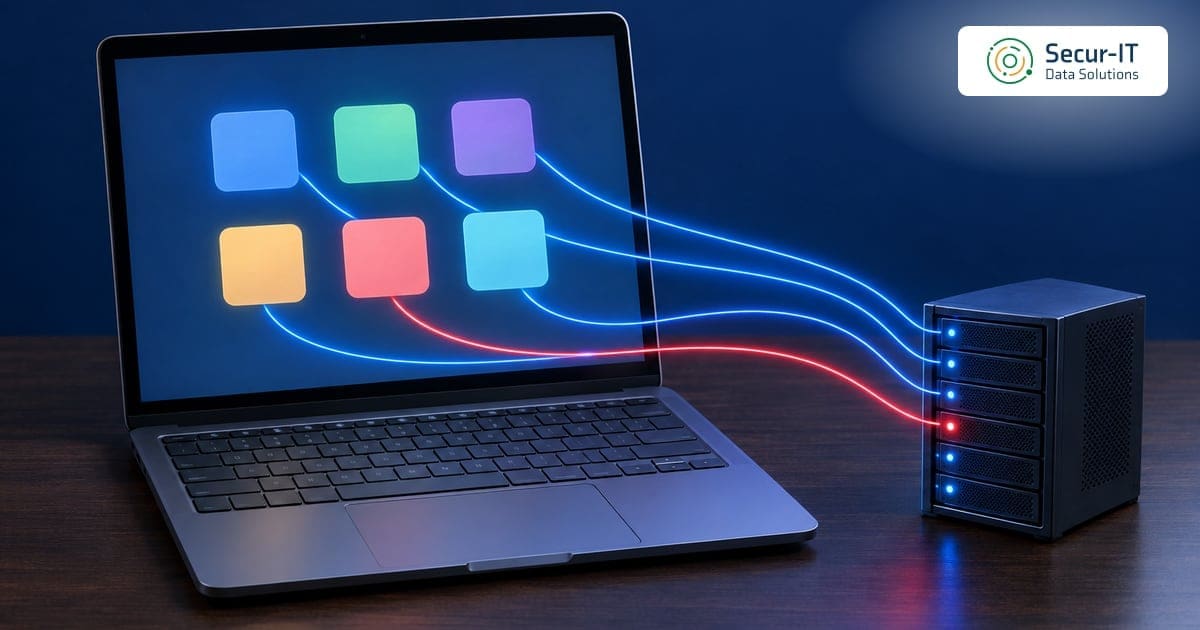
SaaS integration security is the work of controlling every app that has been given a key to your cloud data. Most small and medium businesses have dozens of these keys, and few could list them from memory.
A chatbot plugged into the CRM, a scheduling tool that reads the calendar, a reporting add-on that pulls from the shared drive. Each one was approved once, often by a single click, and then kept working in the background for years.
In March 2026, the Telus incident put this problem back in Canadian news. The facts that Telus confirmed are short. The claims made about it are much longer, and the gap between the two is a useful lesson on its own.
What Telus Confirmed and What Was Only Claimed
Telus Digital, the outsourcing and customer support arm of Telus, told BleepingComputer, in a report published March 12, 2026, that it was “investigating a cybersecurity incident involving unauthorized access to a limited number of our systems.” In the same statement, it said all business operations remained fully operational, that it had engaged cyber forensics experts and was working with law enforcement, and that it was notifying impacted customers as appropriate.
The Insurance Journal, carrying a Bloomberg News report, added that Telus did not name the group involved and did not immediately respond to the group’s specific claims. That is where the confirmed record ends.
Everything below this line is a claim by the attackers, reported by news outlets and not confirmed by Telus:
- Who: the extortion group known as ShinyHunters claimed responsibility, according to BleepingComputer and to Reuters in a story carried by CBC News.
- How much: the group told BleepingComputer it took close to 1 petabyte of data, and told Reuters at least 700 terabytes. The two figures do not match, and neither outlet verified them.
- How: the group told BleepingComputer it got in with Google Cloud Platform credentials it found in data stolen during the earlier Salesloft Drift breach. Telus has not described how the intruders got in.
The reported entry point is the part that matters for SaaS integration security. If it is accurate, the first door was not opened at Telus at all. It was a key that had been sitting inside data held by a connected sales tool.
The Connected App Problem Behind SaaS Integration Security
The Salesloft Drift breach itself is well documented. An FBI FLASH alert dated September 12, 2025 describes how, in August 2025, attackers used compromised OAuth tokens for the Salesloft Drift application, an AI chatbot that can be integrated with Salesforce. With those tokens, they reached victims’ Salesforce instances and took data.
The same FBI alert notes that on August 20, 2025, Salesloft, working with Salesforce, revoked all active access and refresh tokens for the Drift application. That ended the attackers’ access through that app. It did not undo what had already been copied.
The FBI alert also explains why connected apps are such a quiet risk. It says authorizing a malicious connected app “bypasses many traditional defenses such as MFA, password resets and login monitoring,” and that its activity can look like it comes from a trusted integration. That is the core of SaaS integration security in one sentence.
Why Integrations Slip Past Normal Controls
Most small businesses protect people. They turn on multi-factor authentication, train staff on phishing and reset passwords when someone leaves. Those controls matter, but an integration is not a person.
Here is how a typical connected app behaves once it is approved:
- It holds a token, not a password. Changing a user’s password often leaves the app’s access in place.
- It does not see a login prompt. Multi-factor authentication protects the person who approved the app, not the app’s later requests.
- It often asks for broad access. A tool that only needs to read one folder may be granted read and write access to the whole drive or the whole CRM.
- It outlives the reason it was added. The trial ends, the project closes, the staff member leaves, and the connection stays.
There is a second, quieter risk. Support tickets, chat logs and shared documents sometimes contain secrets: an API key pasted to a vendor, a password sent to a colleague, a cloud credential copied into a ticket. If an integration with access to that data is compromised, those secrets travel with it.
Good SaaS integration security treats every connected app as a user with its own account, its own permissions and its own review date.
What Canadian Guidance Expects
The Canadian Centre for Cyber Security publishes baseline cyber security controls for small and medium organizations. Section 3.10 covers cloud and outsourced IT services, and section 3.12 covers access control.
Three of those baseline controls map directly onto SaaS integration security:
- Least privilege: organizations should provision accounts with the minimum functionality necessary for tasks, and restrict administrator privileges to an as required basis.
- Remove what is no longer needed: organizations should remove accounts and functionality when employees no longer require them.
- Separate cloud administration: administrative accounts for cloud services should use two factor authentication and differ from internal administrator accounts.
Privacy law follows the data, not the vendor. The Office of the Privacy Commissioner of Canada’s guidance on mandatory breach reporting under PIPEDA says an organization remains responsible for personal information it has transferred to a third party for processing. In that case, the OPC treats the original organization as having control, and therefore responsibility for breach reporting.
The same OPC guidance says you must report breaches that pose a real risk of significant harm, notify affected individuals as soon as feasible, and keep records of all breaches for two years. A connected app that leaks customer data is still your breach to report, which is why SaaS integration security belongs in your privacy program too.
SaaS Integration Security: Five Steps to Start This Month
The FBI’s mitigation list for this campaign is short and practical. It recommends phishing resistant MFA, least privilege, IP based access restrictions, monitoring API usage for unusual behavior, and reviewing all third party integrations while rotating their API keys, credentials and tokens.
Here is how a small team can turn that into SaaS integration security work:
- Build the list. Open the admin console of each main cloud platform, such as your email suite, file storage and CRM, and export every third party app with access. Note who approved it and when.
- Cut the scope. For each app, compare what it can reach with what it actually needs. Remove write access where read is enough, and remove whole apps nobody can explain.
- Rotate what may have leaked. Change API keys, service account credentials and tokens for integrations that touch sensitive data, and search tickets and shared files for pasted secrets.
- Watch the app traffic. Alert on large exports, new apps being approved, and API calls from unexpected locations or at unusual hours.
- Write the offboarding rule. When a vendor contract ends or a staff member leaves, revoke the apps they approved on the same day.
None of these steps needs new software to begin. They need a named owner and a date on the calendar.
Common Mistakes With Connected Apps
The same few gaps show up again and again when teams first review their integrations:
- Letting any user approve any app. Limit approval of new third party apps to administrators, or require a review first.
- Reviewing people but not apps. Quarterly access reviews often cover user accounts and skip the integrations entirely.
- Treating vendor revocation as the end. When a vendor revokes tokens after an incident, as Salesloft and Salesforce did, the data already taken is still out.
- Keeping secrets in tickets. Use a password manager or a secrets vault to share credentials, never a support case or a chat thread.
Fixing these four gaps is where SaaS integration security starts to pay off.
Where Secur-IT Data Fits
Our team approaches SaaS integration security as part of managing the identity side of your cloud. Our cloud security services include:
- Identity and access management: multi-factor authentication, role based access controls, single sign-on integration and conditional access policies, with least privilege access.
- Cloud monitoring: watching for suspicious activity across Microsoft 365, Azure and AWS, including continuous monitoring of user activities.
- Configuration hardening: fixing the misconfigurations attackers look for.
- Cloud security assessments: a review of identity and access management, data encryption, network security, logging and monitoring, and incident response capabilities.
A questionnaire based cloud security assessment is free for small offices. An on-site assessment is quoted after a short scoping call. Your existing IT provider keeps running your systems, and our managed cybersecurity services in Toronto add 24/7 monitoring on top.
Frequently Asked Questions
Q: What is SaaS integration security?
SaaS integration security is the practice of controlling the third party apps connected to your cloud platforms. It covers listing every connected app, limiting what each one can reach, rotating its keys and tokens, and watching its activity.
Q: Did Telus confirm how the attackers got in?
No. Telus Digital confirmed unauthorized access to a limited number of its systems. The claim that the attackers used Google Cloud Platform credentials found in Salesloft Drift data came from the group itself, as reported by BleepingComputer.
Q: Does multi-factor authentication stop a compromised connected app?
Not on its own. The FBI says authorizing a malicious connected app bypasses many traditional defenses, including MFA, password resets and login monitoring. MFA still matters for the people who approve apps.
Q: Am I responsible if a vendor’s integration leaks my customers’ data?
Under PIPEDA, the OPC says an organization remains responsible for personal information it has transferred to a third party for processing. That includes reporting breaches that pose a real risk of significant harm.
Q: How often should we review connected apps?
Review them at least as often as you review user accounts, and every time a vendor or staff member leaves. Review right away when a vendor you use reports an incident.
If you want to know which apps can reach your cloud data today, and which ones to cut first, our team at Secur-IT Data can walk you through it.
References
- BleepingComputer: Telus Digital confirms breach after hacker claims 1 petabyte data theft
- Insurance Journal (Bloomberg): Canadian Telecom Telus Says It’s Investigating Cyber Breach
- FBI FLASH-20250912-001: Cyber criminal groups compromising Salesforce instances for data theft and extortion
- Canadian Centre for Cyber Security: Baseline cyber security controls for small and medium organizations
- Office of the Privacy Commissioner of Canada: What you need to know about mandatory reporting of breaches of security safeguards
Ready to Strengthen Your Cybersecurity?
Secur-IT Data Solutions is a Toronto-based MSSP providing enterprise-grade cybersecurity for Canadian businesses. Whether you need OT security, AI threat protection, penetration testing, or full managed security services, our team is ready to help.
Talk to our team:
- 📞 Call us: +1 (647) 948-6768
- 📧 Email: info@securitdata.ca
- 🌐 Book a scoping call →

Krikor Tengerian is the CEO and founder of Secur-IT Data Solutions, a Toronto-based cybersecurity firm focused on helping Canadian organizations secure their infrastructure and critical systems. With over 25 years of experience across cybersecurity and IT infrastructure, he has supported organizations in hardening networks, protecting critical workloads, and aligning security controls with business and regulatory requirements.
Krikor actively shapes the direction and themes of Secur-IT’s educational content, collaborating with AI tools to structure, refine, and expand articles while providing the real-world context, use cases, and review to keep them accurate and practical for readers. He regularly shares insights on OT security, threat detection, incident response, and Canadian cybersecurity compliance to help industrial and commercial organizations better understand and reduce their cyber risk.