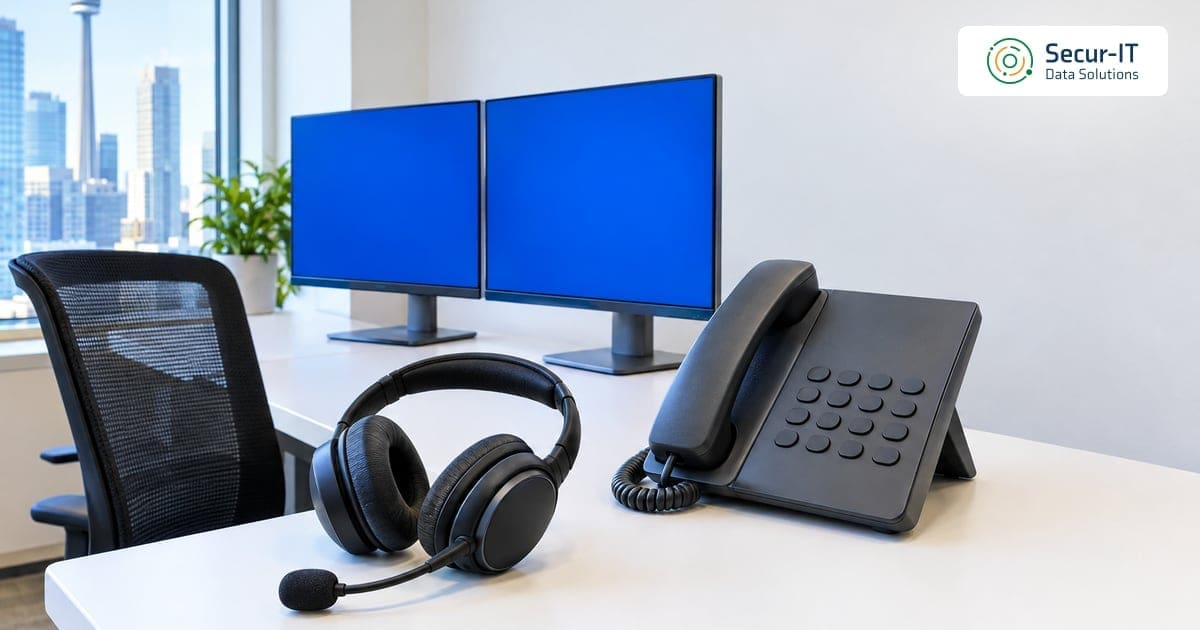
Help desk social engineering starts with a phone call that sounds routine. Someone says they are a staff member who got a new phone, lost access to their authenticator app and needs a password reset before a client meeting.
The agent wants to help, because that is the job. Five minutes later the caller owns a real account, with a fresh password and a multi-factor authentication (MFA) method they control.
No malware was needed and no firewall was crossed. That is help desk social engineering: the attacker asks the one team whose purpose is to restore access, and the team does exactly what it was trained to do.
The Canadian Warning This Fall
On October 28, 2026, the Canadian Centre for Cyber Security issued alert AL26-028 on an ongoing help desk voice phishing campaign against Canadian organizations, including the legal and financial sectors. In its words, “Multiple Canadian firms have been targeted by individuals impersonating internal IT support and directing employees to fraudulent sign-in pages.”
The same alert says the activity has increasingly targeted finance and legal organizations since July, with October activity concentrated on the legal sector. It also says the campaign gets past conventional MFA by relaying sign-ins in real time, and that callers may spoof legitimate help desk numbers and hang up if the employee tries to verify independently.
A few days later, on November 2, 2026, the ABA Journal reported that four Canadian law firms said they had experienced recent data breaches. The firms said the damage was contained and that they were alerting affected clients. The article did not say how the attackers got in, so no link to the campaign should be assumed.
What Help Desk Social Engineering Looks Like From the Inside
The Canadian alert describes callers who pretend to be the help desk. Help desk social engineering is the mirror image of that: the caller pretends to be an employee, and the target is the agent who controls resets.
The joint advisory on Scattered Spider, AA23-320A, shows both directions. It was released by the US Cybersecurity and Infrastructure Security Agency (CISA) and the FBI together with the Royal Canadian Mounted Police, the Canadian Centre for Cyber Security and other partners, and was last revised on July 29, 2025.
The advisory describes a group that targets large companies and their contracted IT help desks. According to the advisory, the actors:
- Study the reset process first: early calls are designed to learn what steps a help desk needs before it will reset a password.
- Collect details on one person: further calls gather the reset information for a targeted employee, enriched by personal details found on social media.
- Ask for the reset itself: they pose as the employee to get the password reset and the MFA moved to a device they control.
- Lock in access: they register their own MFA tokens and then take over accounts in single sign-on environments.
That last step matters for a Canadian office running Microsoft 365. One reset on a single sign-on account can open email, files and every connected app at once.
Why Resets Are the Weak Point
The US National Institute of Standards and Technology (NIST) says it plainly in its authentication guideline, SP 800-63B. The weak point in many authentication mechanisms is the process followed when a user loses control of an authenticator and needs to replace it.
The same guideline adds that when recovery is human-assisted, social engineering attacks also pose risks. Its threat table goes further and says to avoid authenticators that present a social engineering risk to third parties such as customer service agents.
In other words, help desk social engineering does not beat your MFA. It walks around it, through the process you built for people who lost their MFA.
The Canadian Centre for Cyber Security makes the same point from the other side. Its guidance on multi-factor authentication (ITSAP.30.030) says your organization needs a clear recovery plan for lost or compromised authentication factors.
Help Desk Social Engineering Controls That Stop a Fake Reset
The alert’s own advice is to strengthen verification for MFA resets, account recovery and new device enrollments. Here is what that looks like as a written process your agents can follow under pressure.
- Never verify with facts an attacker can find. Name, title, manager, employee number and date of birth are all searchable or sitting in an old breach. The advisory notes that the actors use details from social media for exactly this.
- Call back on a number you already hold. End the call and phone the employee on the number in your HR or directory record. The Canadian Centre for Cyber Security’s vishing guidance (ITSAP.00.102) gives the same rule: do not use numbers provided by the caller.
- Get a second person to approve. A manager confirms the request through a separate channel, such as a message in your internal chat, before any MFA method is removed or added.
- Treat an MFA reset as more serious than a password reset. A new password still needs the second factor. A new MFA device gives the caller the whole account.
- Notify the real user every time. NIST says an account recovery event always causes one or more notifications to be sent to the user, so the real owner can spot fraud.
- Offer self-service recovery first. NIST lists saved recovery codes, issued recovery codes, recovery contacts and repeated identity proofing as recovery methods, which keeps most cases away from a phone call.
- Give agents permission to say no. An urgent caller who refuses a callback is the warning sign, not a reason to skip the step.
These steps cost little. Each one makes help desk social engineering slower and louder, which is what you want.
Help Desk Social Engineering Signals to Watch After a Reset
A process will fail sooner or later, so watch for what happens next. AL26-028 lists the behavior to look for after an attacker gets in:
- New MFA methods or devices registered to an account, especially right after a reset.
- Deleted security emails, because the actors delete password reset, MFA change and security notifications.
- Scripted or high volume file access in Microsoft 365, SharePoint or OneDrive.
- Newly registered domains that imitate your organization’s name.
If you suspect a compromise, the alert says to revoke active sessions and tokens, reset credentials, remove unauthorized MFA methods and review mailbox and file activity. It also recommends phishing-resistant MFA such as FIDO2 security keys and device-bound passkeys, particularly for privileged and high-risk users.
What Canadian Law Expects After a Breach
Help desk social engineering that ends in stolen personal information is a privacy matter, not only an IT event. The Office of the Privacy Commissioner of Canada’s guidance on breaches says that under PIPEDA you must report to the commissioner any breach that poses a real risk of significant harm.
You must also notify the affected individuals and keep records of all breaches, whether or not they meet that threshold. A reset log that shows who called, who approved and how the caller was verified is part of that record.
The Canadian Centre for Cyber Security also encourages organizations that find activity matching AL26-028 to report it through My Cyber Portal or by email to contact@cyber.gc.ca.
Where Secur-IT Data Fits
Your existing IT provider or internal help desk keeps running resets. Our team works alongside it to test that process, watch the accounts it protects and respond when something looks wrong. The aim is that help desk social engineering fails on the first call.
- Social engineering attack simulations: our human risk program includes social engineering simulations, security awareness training and incident reporting procedures, so a test call to your help desk shows where the script breaks.
- Account and MFA review: the SMB Cyber Health Check in our cyber protection program for SMBs reviews Microsoft 365 or Google Workspace security configuration, including MFA and admin accounts.
- 24/7 monitoring: Managed SMB Protection Essentials adds 24/7 monitoring and alerting for users, endpoints and cloud platforms, with triage when suspicious activity appears.
- Rehearsal: the resilience tier includes incident response planning and tabletop exercises focused on account takeover.
For small offices, the questionnaire-based assessment is free. An on-site assessment is quoted after a short scoping call.
Frequently Asked Questions
Q: What is help desk social engineering?
Help desk social engineering is when an attacker calls or messages your IT help desk while pretending to be an employee, to get a password reset or a new MFA device added to that employee’s account. CISA’s joint advisory AA23-320A describes this exact method.
Q: Is MFA enough to stop it?
Not on its own. NIST notes that human-assisted recovery carries social engineering risk, and AL26-028 says the Canadian campaign gets past conventional MFA by relaying sign-ins in real time. Phishing-resistant MFA and strict reset checks work together.
Q: How should a help desk verify a caller?
The best defense against help desk social engineering is a check that does not rely on facts found online. Call the employee back on a number already on file, get a manager to approve MFA changes through a separate channel, and notify the account owner after every recovery.
Q: What should we watch for after a reset?
AL26-028 points to new MFA methods or devices, deleted security notification emails, scripted or high volume file access in Microsoft 365, and new domains that imitate your organization.
Q: Do we have to report a breach that started at the help desk?
Under PIPEDA, you must report to the Office of the Privacy Commissioner of Canada any breach of security safeguards that poses a real risk of significant harm, notify affected individuals and keep records of all breaches.
If you want to know how your help desk would handle a convincing reset call today, and what to tighten first, our team at Secur-IT Data can walk you through it.
References
- Canadian Centre for Cyber Security: AL26-028 Ongoing Help Desk Voice Phishing Campaign Targeting Canadian Organizations
- Canadian Centre for Cyber Security: Secure your accounts and devices with multi-factor authentication (ITSAP.30.030)
- CISA, FBI, RCMP, Canadian Centre for Cyber Security and partners: Scattered Spider advisory AA23-320A
- NIST: SP 800-63B Digital Identity Guidelines, Authentication and Authenticator Management
- Office of the Privacy Commissioner of Canada: What you need to know about mandatory reporting of breaches of security safeguards
Ready to Strengthen Your Cybersecurity?
Secur-IT Data Solutions is a Toronto-based MSSP providing enterprise-grade cybersecurity for Canadian businesses. Whether you need OT security, AI threat protection, penetration testing, or full managed security services, our team is ready to help.
Talk to our team:
- 📞 Call us: +1 (647) 948-6768
- 📧 Email: info@securitdata.ca
- 🌐 Book a scoping call →

Krikor Tengerian is the CEO and founder of Secur-IT Data Solutions, a Toronto-based cybersecurity firm focused on helping Canadian organizations secure their infrastructure and critical systems. With over 25 years of experience across cybersecurity and IT infrastructure, he has supported organizations in hardening networks, protecting critical workloads, and aligning security controls with business and regulatory requirements.
Krikor actively shapes the direction and themes of Secur-IT’s educational content, collaborating with AI tools to structure, refine, and expand articles while providing the real-world context, use cases, and review to keep them accurate and practical for readers. He regularly shares insights on OT security, threat detection, incident response, and Canadian cybersecurity compliance to help industrial and commercial organizations better understand and reduce their cyber risk.